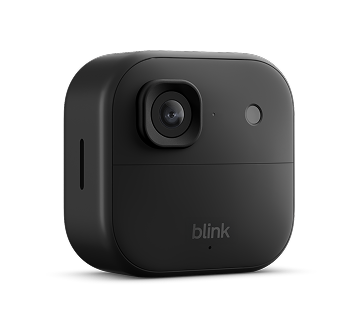
Blink Outdoor 2K+: what to check before you buy
Blink Outdoor 2K+ is today's DeviceMerit pick because the buying decision depends on more than the camera itself. The Sync Module, local-storage route, batteries, Wi-Fi and bundle contents all affect the real setup you receive.
- Decide whether you want local clip storage or cloud features.
- Confirm the exact Sync Module included in the listing.
- Check whether USB or microSD storage is included when local recording matters.
- Verify your 2.4 GHz Wi-Fi coverage where the camera will be installed.
As an Amazon Associate I earn from qualifying purchases.
Why the Sync Module matters
For Blink buyers, the recording setup is often the most important detail to verify before checkout. DeviceMerit's Blink guide distinguishes the module options so you do not assume every bundle supports the same storage method. Sync Module Core does not provide local storage or clip backup. Sync Module 2 can use USB storage for compatible motion clips, while Sync Module XR can use microSD storage for compatible motion clips.
Power and network checks
Outdoor 2K+ uses two 1.5V non-rechargeable lithium AA batteries and requires a compatible Sync Module. Blink also requires a 2.4 GHz Wi-Fi connection. Battery life varies with activity, recording settings and conditions, so treat battery-life claims as setup-dependent rather than guaranteed.
What to verify on the merchant page
Before ordering, compare the exact camera count, Sync Module model, storage media, batteries and any subscription features you expect to use. Merchant bundles and pricing can change. The tracked link below opens the current Amazon listing so you can verify the live package and price before checkout.
Ready to compare the live bundle?
Use the current merchant listing for final package contents, price, shipping and availability.
As an Amazon Associate I earn from qualifying purchases.
View current Amazon listing →Compare Blink vs Ring